Coins+
The little extras add up.
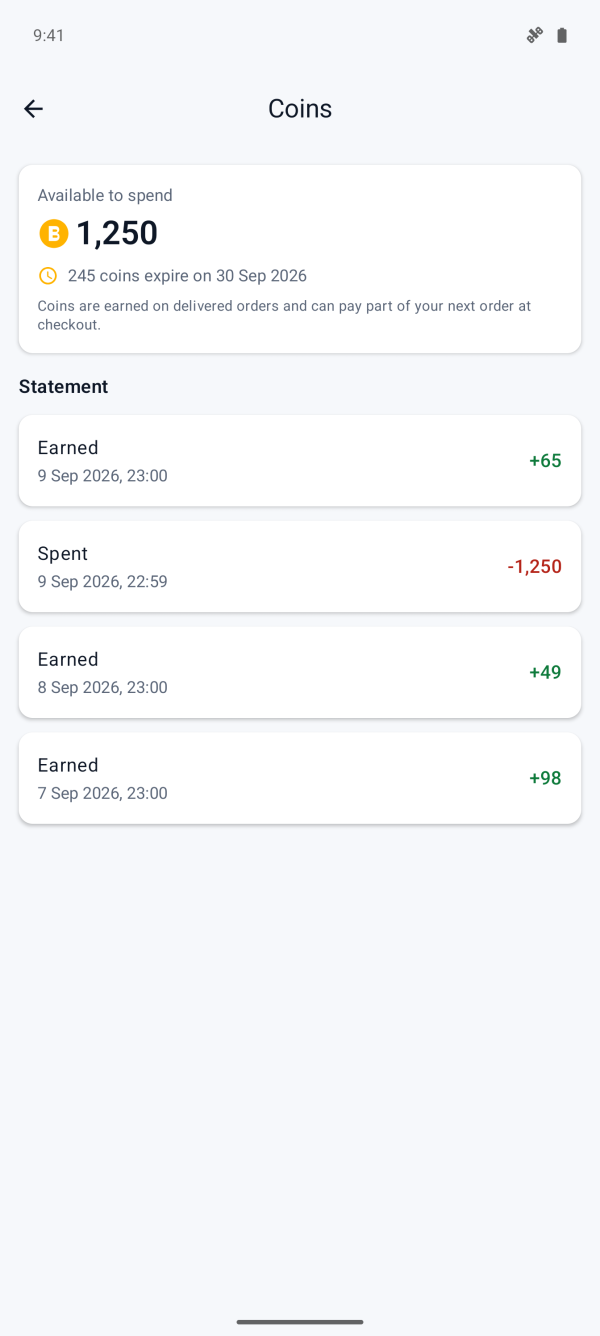
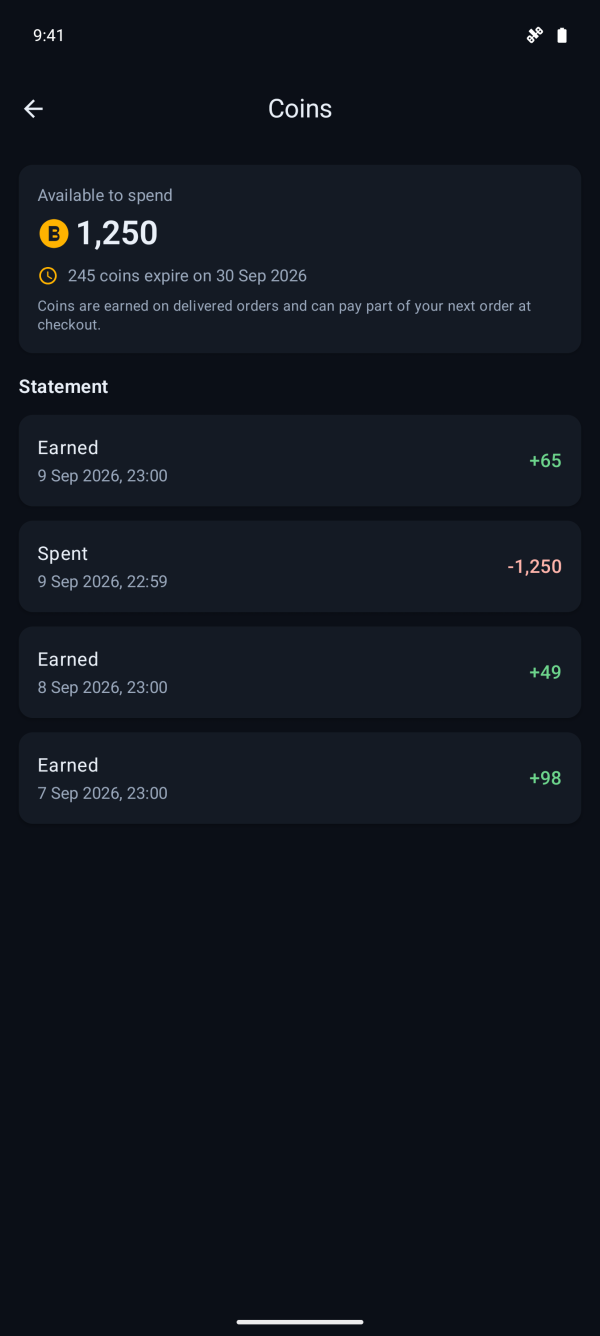
Earn coins on eligible delivered orders. Check the earning rate for your product or service in the app. Each coin is worth RM0.01 towards a later order.
Explore coins and conditionsOne membership. More possibilities.
Your membership for a more rewarding everyday.
Earn coins with mobile payments today. Look forward to more places to use Biller.
Your Biller membership
No account needed to pay. A free membership when you want to make it more rewarding.
Earn coins on eligible delivered orders. Check the earning rate for your product or service in the app. Each coin is worth RM0.01 towards a later order.
Explore coins and conditionsUse coins for part of your next order. See the amount you can apply and each batch's expiry in the app.
Coins cannot be withdrawn or transferred.
We are planning consumer payments at participating merchants using Biller-issued QR codes. This experience is not available yet. We will share the details when it is ready.
01 / Start with clarity
Explore what is available, see the price and choose what you need. Biller brings your payments and membership together, starting with mobile services.
Availability, prices and member earning rates depend on the product or service.
02 / Keep it together
Your number, a parent's, or someone you care about. Review them together, then approve one payment in your favourite e-wallet.

03 / Stay in the picture
Return from your wallet to a live order. Follow every item through processing to its result, with a clear status for each number.
Live updates are not a delivery-time guarantee. Delivery timing can vary.
04 / Keep the proof
A proper, itemised PDF receipt from your paid order. Save it, share it, find it again. Your order history is kept on your device, even without an account.
05 / Make it rewarding
Sign in to earn coins on eligible delivered orders. Put them towards part of a later order, with the earning rate and redemption amount shown in the app.
Start here, today
Pay your U Mobile postpaid bill and start making the most of Biller. Enter the number and amount from your bill, review the price, then pay with your e-wallet.
Explore bill paymentsA little credit for you or someone you care about. U Mobile prepaid top-ups are available in the same app.
Explore top-upsU Mobile offer · 2% off U Mobile bill payments and top-ups at checkout, plus 1% in coins on delivered U Mobile orders for members.
Rates and conditionsRates may change. Minimum order and final price are shown in the app. T&C apply.
Designed around you
Approve payment with Touch 'n Go eWallet, GrabPay or ShopeePay. Transaction data is encrypted in transit.
Five languages in the app. Light, dark or follow-system themes. Choose what feels right for you.
Keep your order reference handy. Our support team can help with order issues under the Refund Policy.
WhatsApp supportSpeak your language
Five languages, one familiar experience. Switch in the app, choose your theme and make Biller feel like yours.
Good to know
The things you might be wondering.
Biller is a consumer membership app by Kira Labs Sdn Bhd. Members earn Coins on eligible delivered orders and use them towards part of a later order. U Mobile bill payments and top-ups are available today. More consumer experiences with participating merchants are planned.
No account is needed to top up. Open the app, choose a top-up, key in the number and pay. A local copy of your order history is available on your device. A free account is optional and does not change checkout. It only lets you earn coins on each delivered order, which you can apply to part of a later order rather than all of it. Coins expire, and each batch shows its own expiry date in the app.
U Mobile, today. Biller sells U Mobile prepaid top-ups and accepts U Mobile postpaid bill payments, both with 2% off at checkout. Maxis, Celcom, Digi, redONE and ONEXOX are planned and cannot be bought yet.
Yes. Pick U Mobile, key in the U Mobile postpaid mobile number and the amount, and pay with Touch 'n Go eWallet, GrabPay or ShopeePay. The 2% comes off at checkout and no account is needed. Biller submits the payment against the U Mobile account for the number you enter and cannot see your balance or the amount due, so check the amount on your bill first.
For guest e-wallet checkout, pay with Touch 'n Go eWallet, GrabPay or ShopeePay. No card or bank login is needed for that flow.
Yes. Biller is free to download on Android 12 or later and on iPhone with iOS 18.5 or later. Top-ups and bill payments cost the total shown before confirmation.
Yes. Enter the U Mobile prepaid number, yours or someone else’s. The app checks the number format as you type but does not confirm ownership or active status. The price is shown before anything is added to the cart.
After you approve payment in your e-wallet, Biller returns you to a live order screen that refreshes every two seconds until every item reaches a final state, with a status badge on each line.
Yes. One tap on a paid order renders a branded PDF receipt with itemised lines, face value, pricing details and the exact total paid, issued under Kira Labs Sdn Bhd, and opens your phone’s share sheet.
Five languages: English, Bahasa Malaysia, Chinese, Bahasa Indonesia and Tamil, switchable in-app, with light, dark or follow-system themes remembered across launches.
Your everyday, with Biller.
Make Biller part of your everyday. Free to download on Android 12 or later and iPhone with iOS 18.5 or later.


Pay as a guest. Join when you want the extras.